How to Track Your Brand in Google AI Overviews
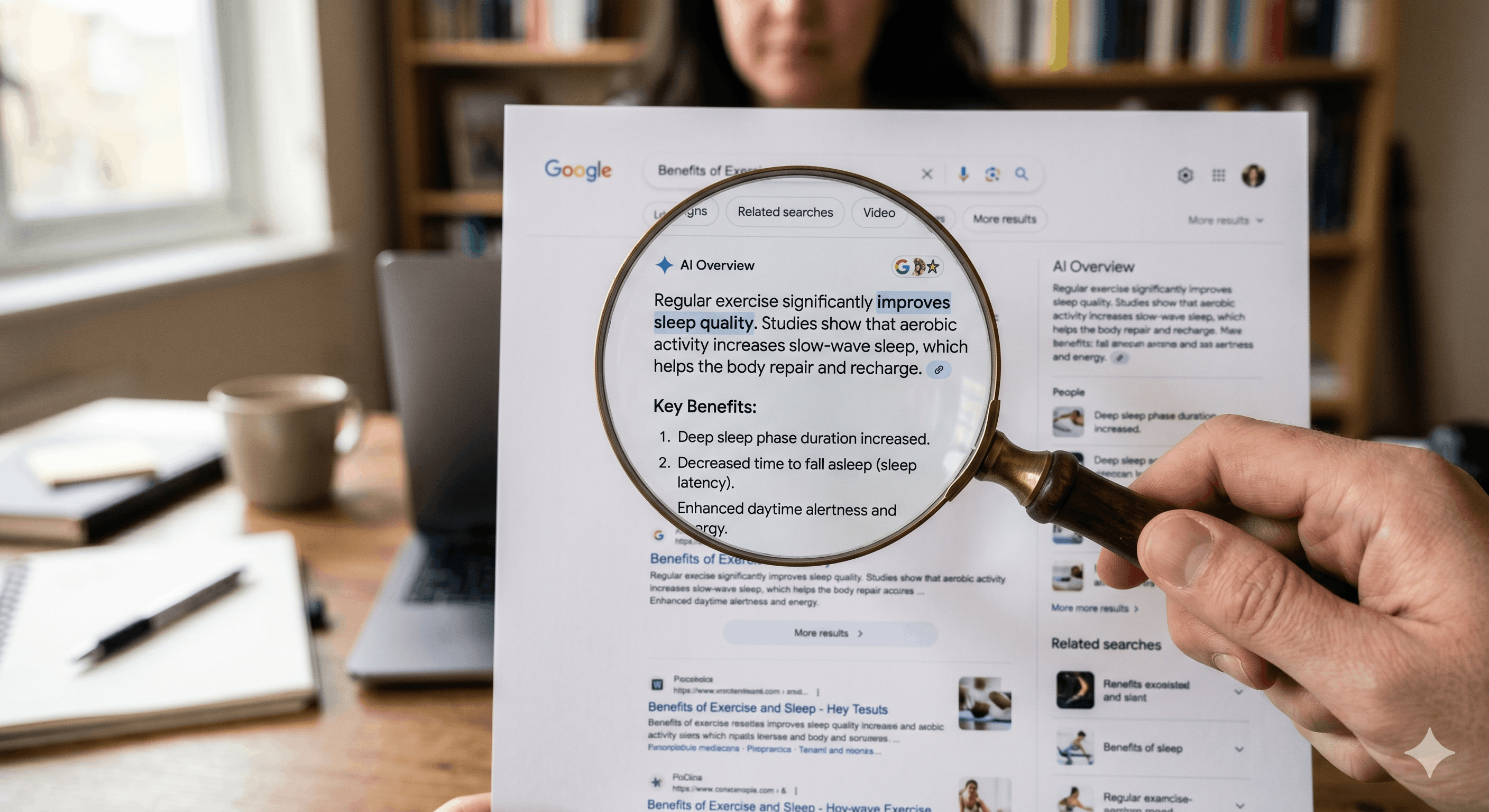
Google has been the gold standard in search for the last 25 years. And now with AI Overviews taking the stage, a lot of brands are unsure how to track their mentions and see where they stack up. This article is here to breakdown what to look for in AIOs, and why it's necessary.
<p>You can lose a customer to a Google AI Overview and never see it in your traffic report, because the answer resolved before the click ever happened. Tracking your presence in AI Overviews is how you catch that. To track your brand in Google AI Overviews, you watch three things on a fixed cadence: which of your target queries trigger an AI Overview, whether your brand is named or cited inside it, and which competitors appear in your place. You can do this by hand for a focused query set or with tools that monitor it at scale.</p><p>This is a narrower job than measuring your visibility across every AI engine, which we cover in how to measure your visibility in AI search. Here the surface is one specific engine, Google's, and the tracking method is specific to it.</p><h2>Why Google AI Overviews Need Their Own Tracking</h2><img src="https://access.discoveraio.com/storage/v1/object/public/public-assets/email-images/AdobeStock_2039343459.jpeg" alt="" class="editor-image max-w-full h-auto rounded-lg cursor-pointer transition-all hover:opacity-80" draggable="false" style="max-width: 100%; height: auto;"><p>Google AI Overviews sit on top of the search results you already track, but they run on their own logic. A query can trigger an Overview for one user and not another, the cited sources change as content updates and your blue-link ranking does not predict whether you appear in the Overview above it. We covered that disconnect in one of our latest articles; "<a target="_blank" rel="noopener noreferrer nofollow" class="text-primary underline" href="https://discoveraio.com/articles/why-your-brand-doesnt-appear-in-ai-overviews-ahrefs-explains">Why Your Brand Doesn't Appear in AI Overviews.</a>"</p><p>That independence is why your existing rank tracker is not enough. A rank tracker tells you where your page sits in the list. It does not tell you whether Google wrote an AI Overview for that query, or whether your brand made it into the answer. Those are the two facts that now decide whether the searcher ever sees your name.</p><h2>Step One: Find Which of Your Queries Trigger an AI Overview</h2><p>Start by listing the queries that matter to your business, then check each one for an AI Overview. Informational and question-style queries trigger Overviews far more often than transactional ones, so a query like "how do I reduce churn in a subscription business" is more likely to show an Overview than "churn software pricing."</p><p>Run each query in a clean browser session and note whether an AI Overview appears at all. This first pass sorts your query set into two buckets: queries where the Overview is the battleground, and queries where the classic results still win. You only need to track presence on the first bucket, which keeps the work focused.</p><h2>Step Two: Check Whether You are Named or Cited</h2><p>For every query that triggers an Overview, record two separate facts: is your brand mentioned in the text, and is your content linked as a cited source. These are not the same. Google can describe your category position without linking you, and it can link a competitor while your brand goes unmentioned.</p><p>Picture a payroll software company tracking "how to run payroll for the first time. The Overview explains the steps and cites two competitors as sources. The payroll company is neither named nor linked, so for that high-intent question they are invisible at the exact moment a new business owner is deciding who to trust. That is the gap tracking exists to surface, one query at a time.</p><h2>Step Three: Log Competitors and Framing</h2><p>A tracking log that only watches you is half a log. For each Overview, capture which competitors appear, in what order and how the answer frames each one. Framing is the part tools miss and the part that protects your brand, because an Overview that describes a competitor as "the most affordable option" is shaping the buyer's shortlist before they reach a single website.</p><p>Keep these notes short and consistent. Over a few cycles, the pattern of who Google cites for your core questions becomes a map of exactly which competitor content you need to outdo to earn the citation yourself.</p><h2>What Search Console Can and Can't Tell You</h2><img src="https://access.discoveraio.com/storage/v1/object/public/public-assets/email-images/image_2026-06-23_120121193.png" alt="" class="editor-image max-w-full h-auto rounded-lg cursor-pointer transition-all hover:opacity-80" draggable="false" style="max-width: 100%; height: auto;"><p>Google Search Console is useful here, with an honest limit. It shows impressions, clicks and average position for your queries, and a query that holds impressions while clicks fall is a strong signal that an AI Overview is intercepting the traffic. What Search Console does not do is tell you directly whether you were cited inside an Overview or how you were described.</p><p>So treat Search Console as your early-warning system and your query-level check as the confirmation. The impression-versus-click pattern points you at the queries worth inspecting by hand, and the hand inspection tells you what is actually happening in the Overview.</p><h2>The Tools That Track AI Overviews at Scale</h2><p>Once your query set grows past what you want to check manually, tools take over the counting. <a target="_blank" rel="noopener noreferrer nofollow" class="text-primary underline" href="http://Otterly.ai">Otterly.ai</a>, SE Ranking and Semrush all offer AI Overview tracking that monitors whether your domain appears for a set of keywords, stores the history and flags changes. They differ in how often they refresh and whether they capture the cited source or only presence, so choose based on the three facts above: trigger, citation and competitors. For a fuller look at how this tool category works, see our article; "<a target="_blank" rel="noopener noreferrer nofollow" class="text-primary underline" href="https://discoveraio.com/articles/aio-trackers-what-they-are-and-how-companies-are-using-them-to-win-in-ai-search">AIO Trackers and How Companies Use Them</a>."</p><h2>Turn Tracking Into a Weekly Habit</h2><p>Tracking only pays off when it runs on a rhythm. Pick a weekly or biweekly cadence, run the same query set every time, and log trigger, citation and competitors in the same place. The value is in the trend, because a single snapshot tells you where you stand today while a running log tells you whether your last content change actually moved you into the Overview.</p><p></p><p><strong>Key Takeaways</strong></p><ul><li><p>Google AI Overviews run on their own logic, so your blue-link rank does not predict whether you appear in the Overview above the results.</p></li><li><p>Track three facts for every target query: whether it triggers an Overview, whether your brand is named or cited, and which competitors appear.</p></li><li><p>Mention and citation are different. Google can describe your category without linking you, or link a competitor while you go unnamed.</p></li><li><p>Search Console is an early-warning system: impressions holding while clicks fall signals an Overview is intercepting traffic, but it does not confirm citation directly.</p></li><li><p>Tools like <a target="_blank" rel="noopener noreferrer nofollow" class="text-primary underline" href="http://Otterly.ai">Otterly.ai</a>, <a target="_blank" rel="noopener noreferrer nofollow" class="text-primary underline" href="seranking.com">SE Ranking</a> and <a target="_blank" rel="noopener noreferrer nofollow" class="text-primary underline" href="semrush.com">Semrush</a> automate AIO tracking once your query set outgrows manual checks.</p></li><li><p>The value is in the cadence. Run the same query set on a fixed schedule so you can see whether your changes moved you into the Overview.</p></li></ul><h2>Frequently Asked Questions</h2><img src="https://access.discoveraio.com/storage/v1/object/public/public-assets/email-images/AdobeStock_293471314.jpeg" alt="" class="editor-image max-w-full h-auto rounded-lg cursor-pointer transition-all hover:opacity-80" draggable="false" style="max-width: 100%; height: auto;"><h3>How Do I Know if a Search Query has an AI Overview?</h3><p>Run the query in a clean browser session and look for the AI-generated answer block at the top of the results, above the standard links. Informational and question-style queries trigger Overviews most often, so focus your checks there rather than on transactional terms.</p><h3>Can Google Search Console show me if I am in an AI Overview?</h3><p>Yes and no. Search Console reports impressions, clicks and position, and a query where impressions stay flat while clicks drop is a strong hint that an AI Overview is intercepting the traffic. To confirm whether you are actually cited, you still need to inspect the Overview for that query. The EU is slowly rolling out generative AI results in Google Search Console, which includes AI Mode and AI Overviews.</p><h3>What tools track Google AI Overviews?</h3><p><a target="_blank" rel="noopener noreferrer nofollow" class="text-primary underline" href="http://Otterly.ai">Otterly.ai</a>, SE Ranking and Semrush all offer AI Overview tracking that monitors a keyword set, stores historical data and alerts you to changes. They vary in refresh frequency and whether they capture the cited source, so match the tool to whether you need presence, citation or competitor data.</p><h3>Why Does My Page Rank Well but Not Appear in the AI Overview?</h3><p>Ranking and citation are separate outcomes. Google's AI Overview selects sources based on how well a passage answers the specific question and how clearly the content carries authority signals, which is not the same as the signals that earn a high blue-link position.</p><p></p><h2>Next Steps</h2><ul><li><p>Read the article; "<a target="_blank" rel="noopener noreferrer nofollow" class="text-primary underline" href="(https://discoveraio.com/articles/why-your-brand-doesnt-appear-in-ai-overviews-ahrefs-explains">Why Your Brand Doesn't Appear in AI Overviews</a>" for the diagnosis behind a low presence rate.</p></li><li><p>Study the tracking category in the article; "<a target="_blank" rel="noopener noreferrer nofollow" class="text-primary underline" href="https://discoveraio.com/articles/aio-trackers-what-they-are-and-how-companies-are-using-them-to-win-in-ai-search">AIO trackers and how companies use them</a>"</p></li><li><p>Run the <a target="_blank" rel="noopener noreferrer nofollow" class="text-primary underline" href="https://discoveraio.com/resources/72-point-ai-seo-readiness-audit">72-point AI SEO readiness audit</a> to fix the structural issues keeping you out of Overviews.</p></li></ul><p></p><p>Tracking your presence in Google AI Overviews turns an invisible loss into a visible, fixable problem. Once you can see which questions you are missing and who is being cited instead, every content decision has a target. DiscoverAIO is built for the practitioners doing this work, with the community, courses and resources to turn a tracking log into a plan.<a target="_blank" rel="noopener noreferrer nofollow" class="text-primary underline" href="https://discoveraio.com/membership"> Join DiscoverAIO </a>and start tracking where you actually stand, and become a part of a community with marketers who are here doing the work.</p>